
Workplace & Hardware
Working without Windows: Googlebooks for your office in the cloud.
When email, calendar and files live in Google Workspace, your laptop hardly needs any programs of its own. Googlebooks are built for exactly that — the successors to Chromebooks, on sale in Germany from October 5, 2026.
What is a Googlebook?
A laptop where the browser is the operating system — almost. Googlebook OS combines ChromeOS and Android. For many people that's new, because Windows has been the default for decades.
On a Windows PC, programs are installed, files sit on the hard drive, and every device needs to be maintained individually. A Googlebook works differently: you sign in with your Google Workspace account, and Gmail, Calendar, Drive, Docs and Sheets are there right away — because they run in the cloud anyway.
In addition to the Chrome browser, Android apps from the Play Store run on it. What doesn't run are classic Windows programs. That is the deciding question for your business — and we answer it before anyone buys a device.
Windows laptop
How most people work todayGooglebook
Built for the cloud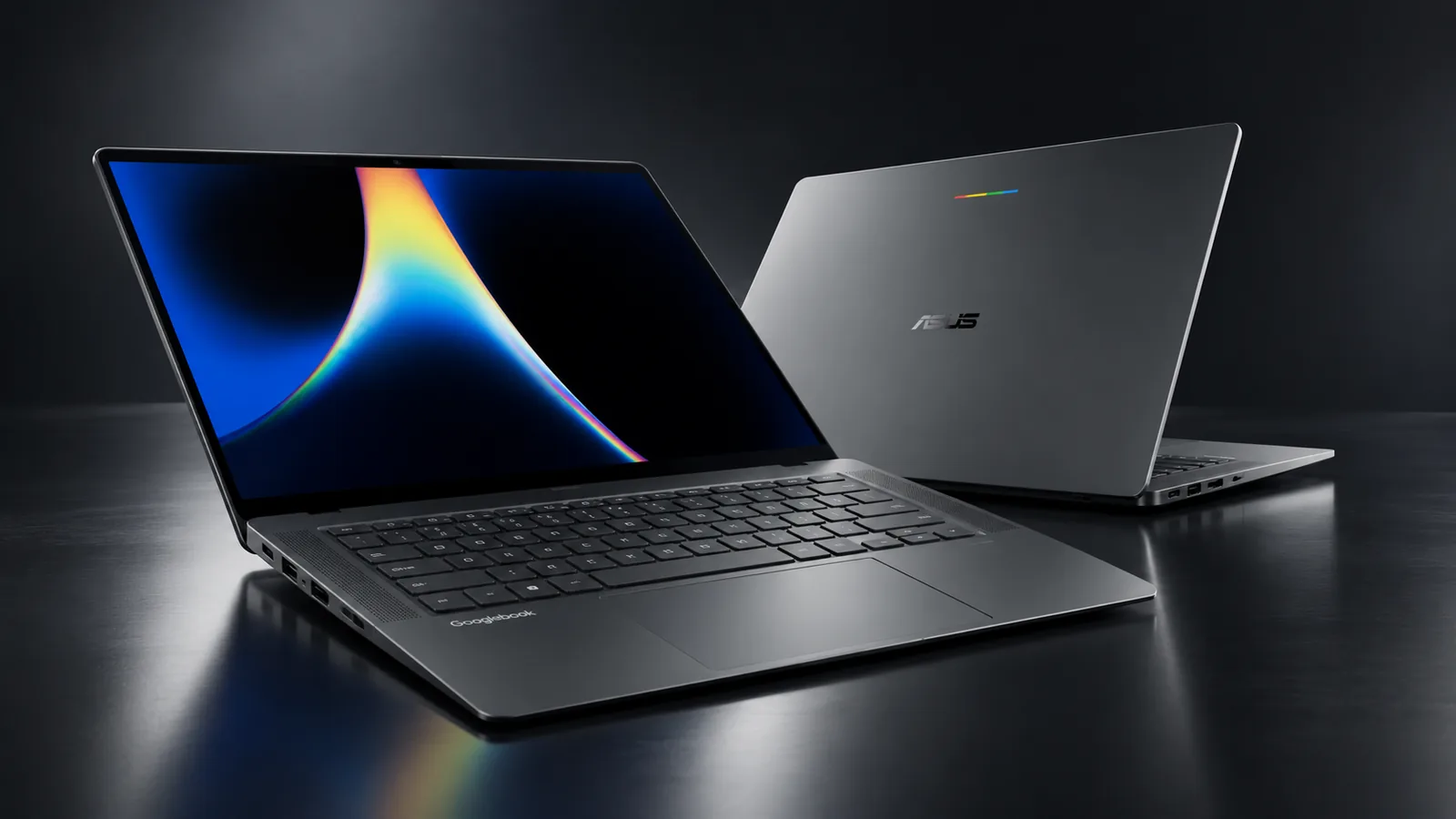
The first models.
At launch, four Googlebooks from well-known manufacturers are coming to Germany. All of them are high-quality premium laptops with OLED touchscreens — not entry-level devices like many earlier Chromebooks.
Acer Googlebook 14
- The only convertible: the display folds back 360°
- 14-inch OLED touchscreen, around 1.1 kg
- Stylus support (stylus sold separately)
ASUS Googlebook 14
- Very light and slim: from 0.99 kg
- 14-inch OLED touchscreen at 120 Hz
- Plenty of ports, including HDMI and USB-A
HP Googlebook 14
- Snapdragon processor, up to 19 hours of battery life according to HP
- 14-inch OLED touchscreen
- 5 MP camera with infrared sensor
Lenovo Googlebook 15
- The only model with a large 15.3-inch display
- OLED touchscreen at 120 Hz
- Sign-in by face or fingerprint
Who a Googlebook is right for — and who it isn't.
A Googlebook isn't a better Windows laptop, it's a different concept. It's an excellent fit if your team already works in the browser — and no fit at all if an important program only runs on Windows.
A good fit if …
- email, calendar and files live in Google Workspace
- accounting and CRM run in the browser, such as Lexoffice or sevDesk
- new laptops are due anyway
- you want less effort with updates and antivirus
Not a fit if …
- local Windows software is essential, such as industry or accounting programs
- printers, scanners or measuring devices need their own Windows drivers
- you run an on-premises server or a Windows domain
- many devices need to be managed centrally — according to Google, that won't be supported until the second half of 2027
What we take on — and what we don't.
What we do
In the Digital Check, we check whether your programs run on a Googlebook, and then set up your Google Workspace accounts on the devices — with two-factor protection and clear sharing permissions.
What we don't do
Sell, repair or service devices on site. You buy directly from the manufacturer or a retailer. For end-device support we recommend Innovate Systems in Wuppertal.
Google, Googlebook, Chromebook, ChromeOS, Android and Google Workspace are trademarks of Google LLC. VEZOZA is not affiliated with Google or the manufacturers mentioned.
Frequently asked questions about Googlebooks
What is a Googlebook?
A laptop that runs Googlebook OS instead of Windows or macOS. The system combines ChromeOS and Android: the Chrome browser is at its center, and Android apps from the Play Store run alongside it. Googlebooks are the successors to Chromebooks.
Do Windows programs run on a Googlebook?
No. Programs that only run on Windows — such as locally installed accounting or industry software — do not work on a Googlebook. Web applications in the browser and Android apps do. We find out which programs you actually use in the Digital Check.
Do we need a Googlebook for Google Workspace?
No. Google Workspace runs just as well on Windows PCs, Macs, smartphones and tablets. A Googlebook makes the most sense when new devices are due anyway and your team already works entirely in the browser.
Can Googlebooks be managed centrally?
Not fully yet. According to Google, the 2026 Googlebooks are initially intended for personal use and cannot yet be managed centrally through the Admin console. That is set to arrive gradually from the second half of 2027. Your Google Workspace accounts, on the other hand, are already fully managed — we control access, permissions and two-factor protection as usual.
Does VEZOZA sell Googlebooks?
No. You buy the devices directly from a retailer or the manufacturer. We set up your Google Workspace accounts on them. Repairs, warranty and large-scale device management are handled by the manufacturer or an IT service provider (MSP) — for that we recommend Innovate Systems in Wuppertal.
What happens if a Googlebook breaks or gets lost?
Because your data lives in Google Workspace and not on the device, the damage is usually limited to the device itself. The account can be locked, a new device is signed in — and work goes on.
Closely connected
Bookable individually — strongest as one managed system with a single point of contact.
Google Workspace & email
Your team's Gmail, Calendar, Drive and accounts — set up, secured and managed on an ongoing basis.
Learn moreGoogle Maps & Google Ads
Business Profile, reviews, local SEO and ad campaigns for your catchment area.
Learn moreWebsite & SEO
A fast business website that gets found on Google and in AI answers — and brings in enquiries.
Learn moreDomain, DNS & hosting
Domain, DNS records, hosting, SSL, backups and monitoring — the technical foundation everything runs on.
Learn moreAI & automation
Recurring tasks between forms, email, spreadsheets and documents run by themselves.
Learn moreDesign & print
Business cards, flyers and review cards with QR and NFC — your brand, in hand.
Learn moreIs a workplace without Windows right for your business?
In the free Digital Check, we look at which programs your team works with and where your data lives — and tell you honestly whether Googlebooks are a good choice for you or whether you should stay with Windows.
20–30 minutes · no preparation needed · no obligation